Help of GiliSoft Audio Recorder Pro


Q: How do I record from microphone?
Q: How to record computer sounds?
Q: How to record audio for speakers and mic at same time?
Q: How to record computer sounds?
Q: How to record audio for speakers and mic at same time?

Step 1: Choose ''Microphone" after insert microphone in computer.

Step 2: Speak into your pc microphone. You should now see a speech waveform displayed on the window.
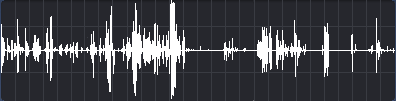
Step 3: Click "Record" to start recording the microphone.
Step 2: Speak into your pc microphone. You should now see a speech waveform displayed on the window.
Step 3: Click "Record" to start recording the microphone.
Step 1: Choose ''Computer sounds".

Step 2: You should now see a computer sounds waveform displayed on the window.
Step 3: Click "Record" to start recording the computer sounds.
Step 2: You should now see a computer sounds waveform displayed on the window.
Step 3: Click "Record" to start recording the computer sounds.
Step 1: Choose ''Computer sounds and microphone ".

Step 2: You should now see a sounds waveform displayed on the window.
Step 3: Click "Record" to start recording the computer sounds and microphone.
Step 2: You should now see a sounds waveform displayed on the window.
Step 3: Click "Record" to start recording the computer sounds and microphone.

No comments:
Post a Comment